





Loading OBPrint…
Skip to content
Explore

Built for what happens
after the quote.

Quoting the job is only the beginning.

OBPrint keeps the work moving through approvals, purchasing, production, installs, job history, and the numbers behind what the job actually took.

See it for my shop

14 days. No card required. Bring your next real job.

What does your shop do?

OBPrint / The work, all togetherREAL INTERFACE. SAMPLE RECORDS.
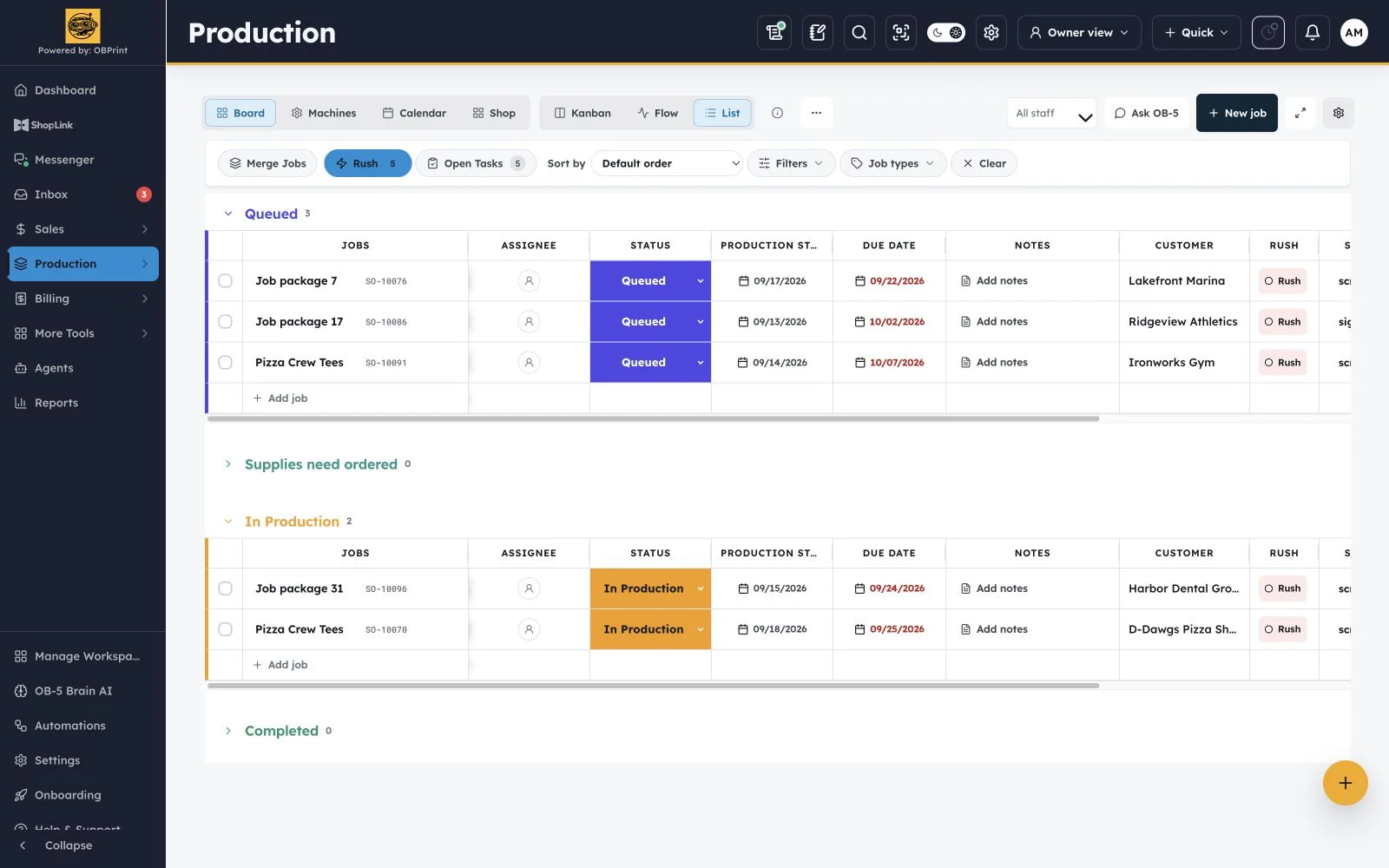
OBPrint production board showing a rush-filtered desktop list and current kanban phone layout in sample data
Production board · Actual OBPrint interface · Sample records · Open full size

Built inside a working shop. Used on the floor every day.

One shop. Different departments. Same job.

Monday might be shirts. Tuesday might be ACM signs. Wednesday might be a box-truck wrap. Give each department the information it needs while keeping the customer, artwork, purchasing, production, and job history connected.

  • Apparel + signs + wraps
  • Decals + installs
  • Shared production board
  • Customer + job history
Explore OBPrint for full-service shop

The owner shouldn’t be the operating system.

A lot of small shops work because the owner remembers everything.

Where the artwork is.

What the customer changed.

Which material still needs ordered.

Why the job is late.

What the employee does next.

That works until you’re busy, sick, or gone for the day. Give that information somewhere to live so the team can keep moving without stopping you every five minutes.

The job is the shared record.

Details your team can get to. Answers you don’t have to repeat.

Stop rebuilding the same job every time it changes hands.

The customer request shouldn’t become one thing in your inbox, another in the quote, and another when production finally gets it.

Turn mixed work into agreed work.

Keep the customer request, artwork, material details, and approved scope attached to the quote.

  1. LeadCapture the request
  2. QuotePrice the work
  3. ApprovalConfirm the details
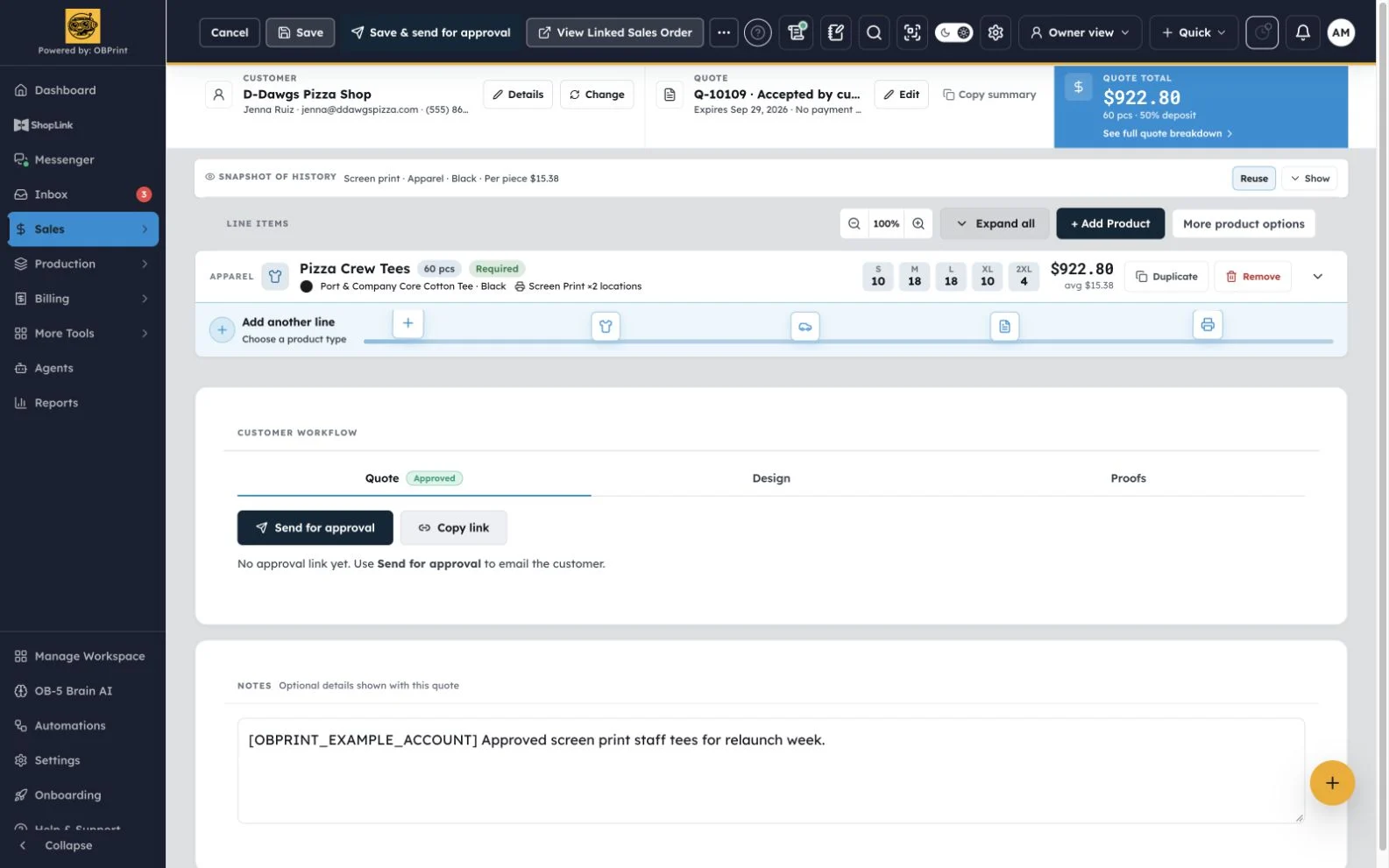
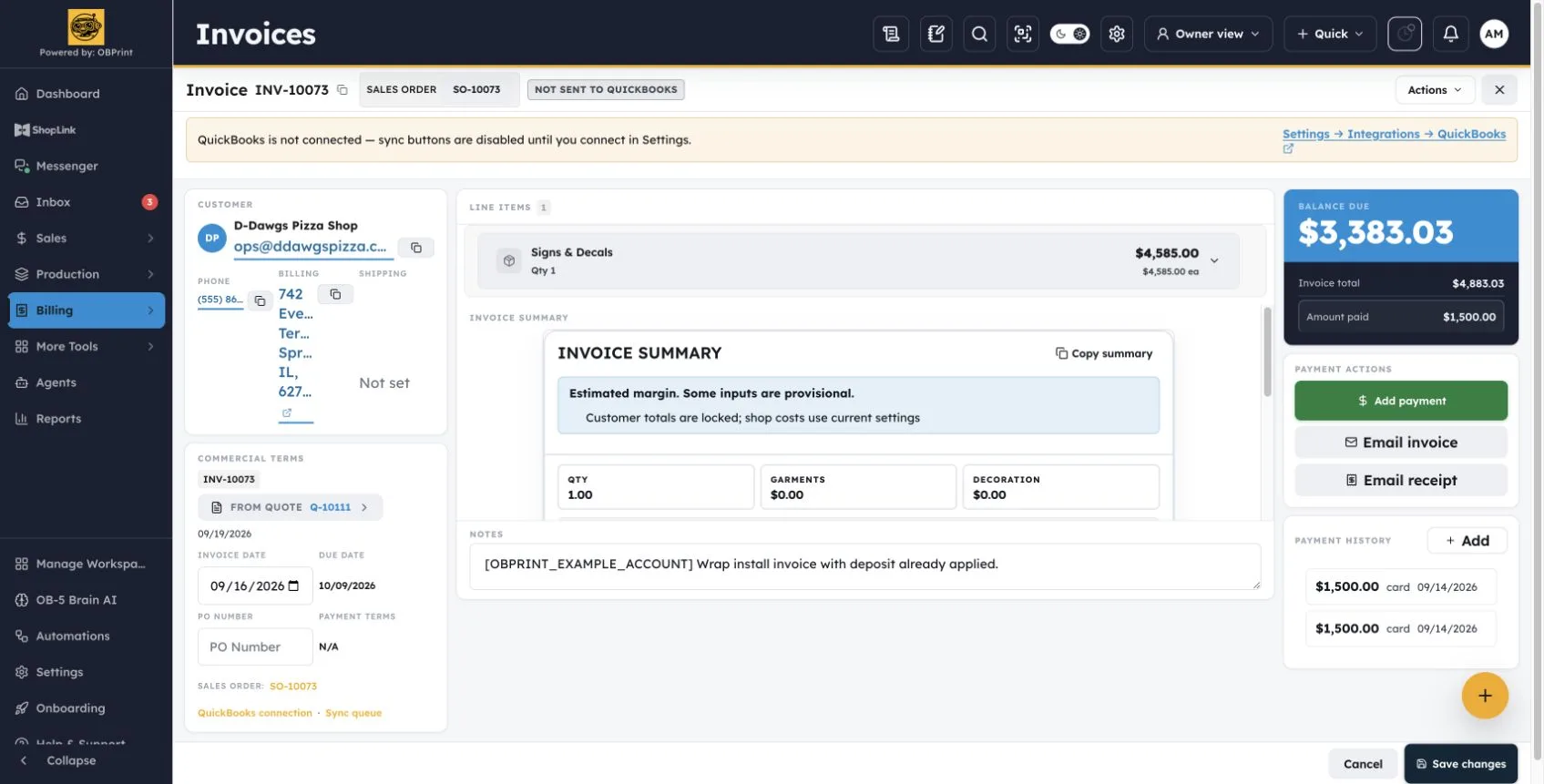
OBPrint approved quote showing one sample quote
Approved quote · Actual OBPrint interface · Sample records · Open full size

Not every job needs every step. Your shop decides when the work moves forward.

You priced the job.
Now find out what it actually took.

A pricing matrix tells you what you planned. Production tells you what happened.

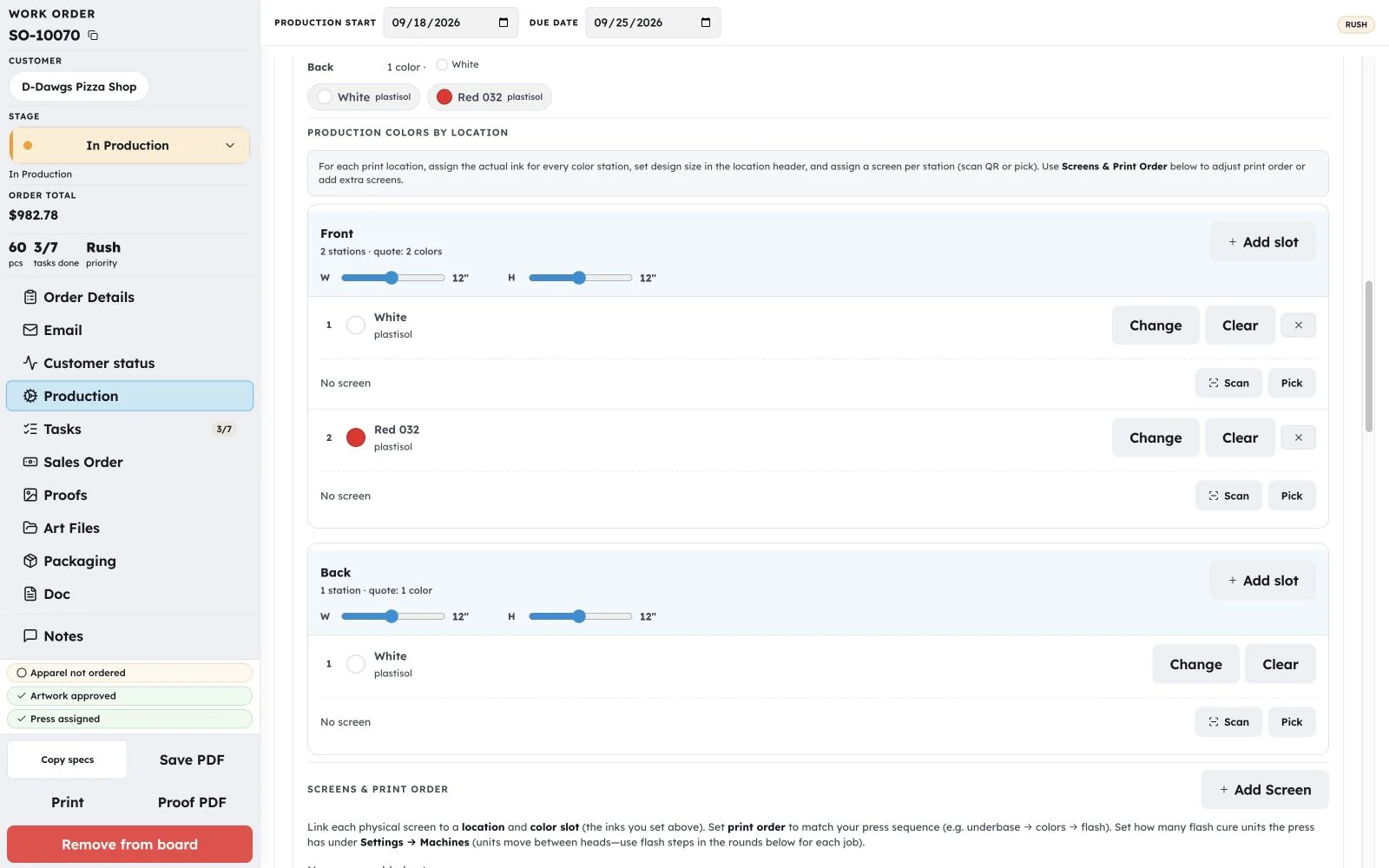
OBPrint production board showing a rush-filtered desktop list and current kanban phone layout in sample data

A mixed shop can lose the reason behind a slow run when each department keeps its own context. Keep apparel, sign, and wrap details on the shared record.

Keep production activity tied to the work. Review what happened before you price the next job from memory.

01

Shared production board

See the work moving across departments.

02

Department details

Keep the service-specific record with the job.

03

Purchasing context

Connect garments and materials to sold work.

04

Job history

Review what happened before the next estimate.

Price from what’s happening in your shop. Not what you think is happening.

Your shop controls the price. OBPrint gives you a better record to work from.

Production shouldn’t have to tell the office what the job needs.

The substrate, thickness, sheet size, or garments should already be part of the record.

Keep purchasing tied to sold work.

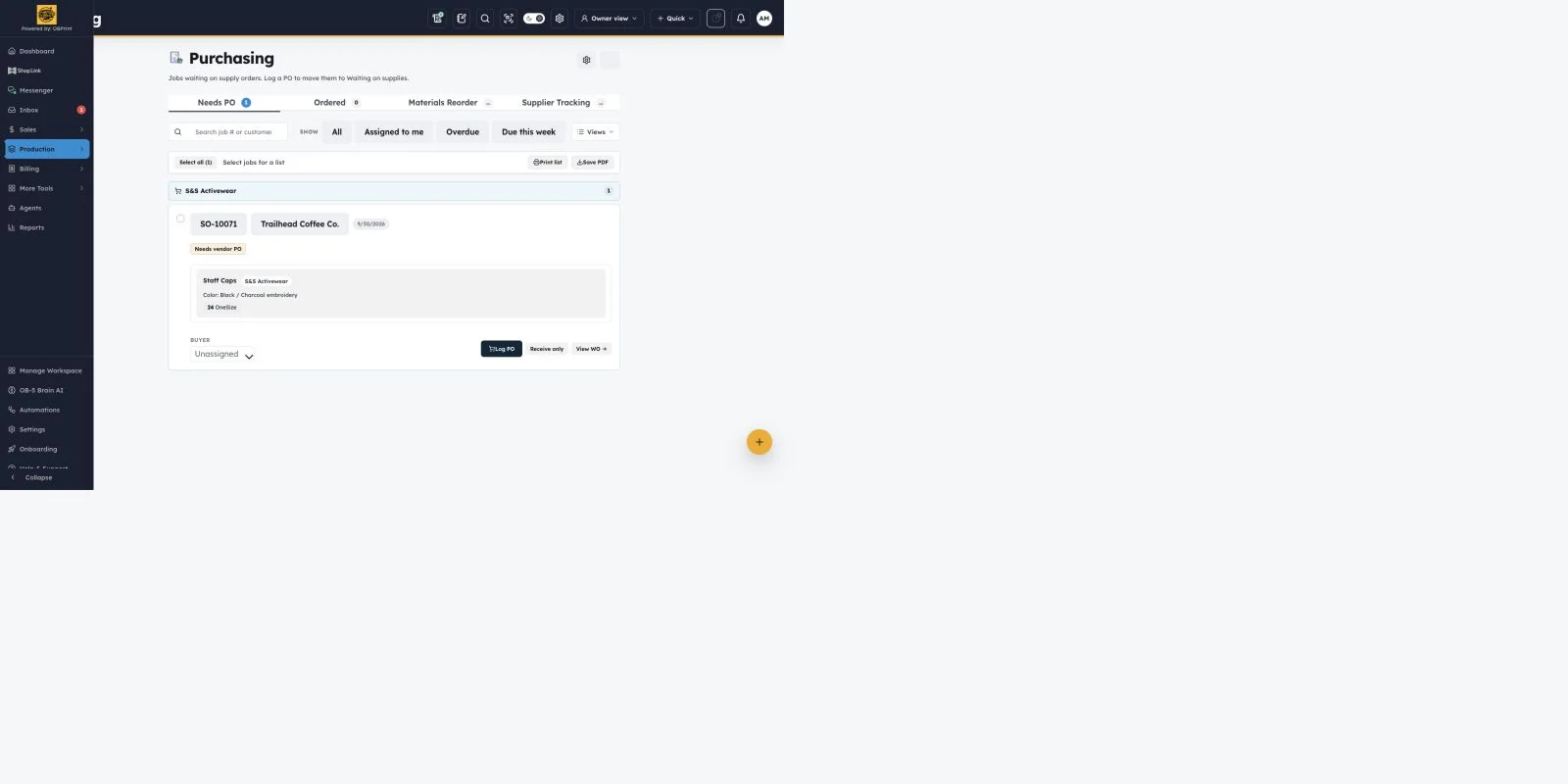
Apparel purchasing, shown here, keeps supplier orders tied to the jobs that need them.

Record where supplies were ordered. For supported supplier workflows, match the PO and follow shipment information back into the shop.

See supported supplier workflows
OBPrint purchasing queue with Staff Caps marked as needing a purchase order in sample data
Purchasing queue · Actual OBPrint interface · Sample records · Open full size

Integrations

Connect the tools you already run.

Catalog costs on the quote. Square and Stripe on pay links. QuickBooks, shipping, and messaging on The Full Run.

See all integrations

Build a shop that doesn’t need you standing in the middle of it all day.

The goal isn’t another app to stare at while you’re on vacation. It’s enough clarity to check the work, see it moving, and put the phone back down.

Employees still need training. People still have to do their jobs. Give them a shared place for the files, notes, status, and what comes next.

Your business should be able to work even when you aren’t standing inside it.

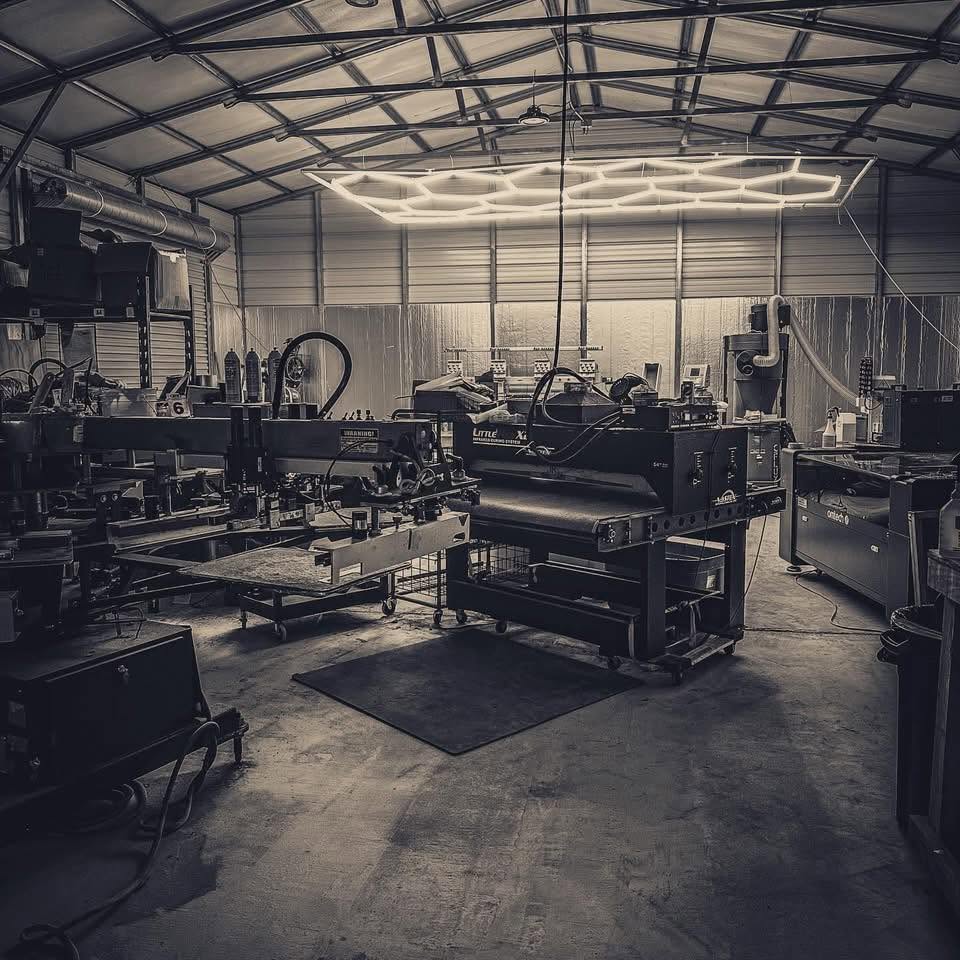
The working production floor at Bigfoot Designs
Bigfoot Designs. Where OBPrint gets tested first.

I learned what a busy shop can hide.

I’ve been running a shop since 2017. We grew fast: manual press to automatics, more equipment, more employees, an 8,000-square-foot building. On paper, it looked like growth.

But I was pricing too much of our work based on what other shops charged. Too much of the information needed to run the business lived in my head.

Then I got sick and had to spend more time away. That exposed everything. Employees didn’t always have the information I had. Production slowed down. Overhead kept moving.

We eventually downsized and rebuilt. OBPrint came out of that rebuild: the system I wish we’d had before we grew.

Something that keeps the job together, gives production better information, and helps the owner understand what’s actually happening inside their own shop.

We’re still running a shop on OBPrint today. That’s where it gets tested first.

Dustin TincherFounder, OBPrint
Owner, Bigfoot Designs

Free or Full Run.
That’s it.

Short Run

$0/mo

Free with monthly limits.

One owner login running quotes, the production list, proofs, job costing, and payments.

  • 1 seat
  • 20 new quotes / month
  • 40 catalog adds to quotes / month
  • Quotes, production & payments
  • Upload your own proofs
  • Job costing & production board list

Forever free with monthly limits. Work order Production tools need The Full Run. Upgrade anytime.

The Full Run

$120/mo

$1,000 billed once yearly · save $440

The whole shop. Unlimited quoting, floor controls, mockups, OB-5, merch stores, integrations, and more seats.

  • Everything in Short Run
  • Unlimited quotes and catalog adds
  • Up to 10 users (+$10/extra)
  • 50 GB included file storage
  • Work order Production tab (press, floor control)
  • MockLab, OB-5, Art Files, QuickBooks
  • Live merch publish, automations, portals, installs

14-day free trial on The Full Run. No credit card required.

A few fair questions.

Built for owner-led production shops making custom work every day.

Is OBPrint only for screen printing?

OBPrint supports apparel, sign, graphics, decal, wrap, install, and full-service production shops. Your setup should reflect the work your shop actually does.

What if my shop only offers one service?

Start with the services you offer. Onboarding uses your service selections to focus relevant setup and product options. You can add services as the shop changes.

Is OBPrint meant for huge shops?

OBPrint is focused on owner-led shops and smaller teams, particularly shops with roughly 1 to 10 people. It is used by multi-person shops. We are not claiming it has been proven in 50-person production operations.

Do I need to migrate years of old jobs before I can start?

Start with the next real job. Bring older customers and records over when they become useful. You do not need years of job history to begin.

Does OBPrint decide what I should charge?

Your shop controls its pricing. OBPrint gives you production records, job history, cost inputs, and reporting to review when you make pricing decisions. It does not automatically change your customer’s price.

Do I have to use an OBPrint payment processor?

OBPrint supports connecting Square or Stripe for customer payments. You can also record payments received outside those integrations. Choose the supported payment workflow that fits your shop; provider fees and terms still apply.

Run the next real job through OBPrint.

You don’t need a six-month migration project. Start with the next job coming through the door. Let the quote turn into real work. Let the team run it. Then look back at what actually happened.

No credit card required for the Full Run trial.